
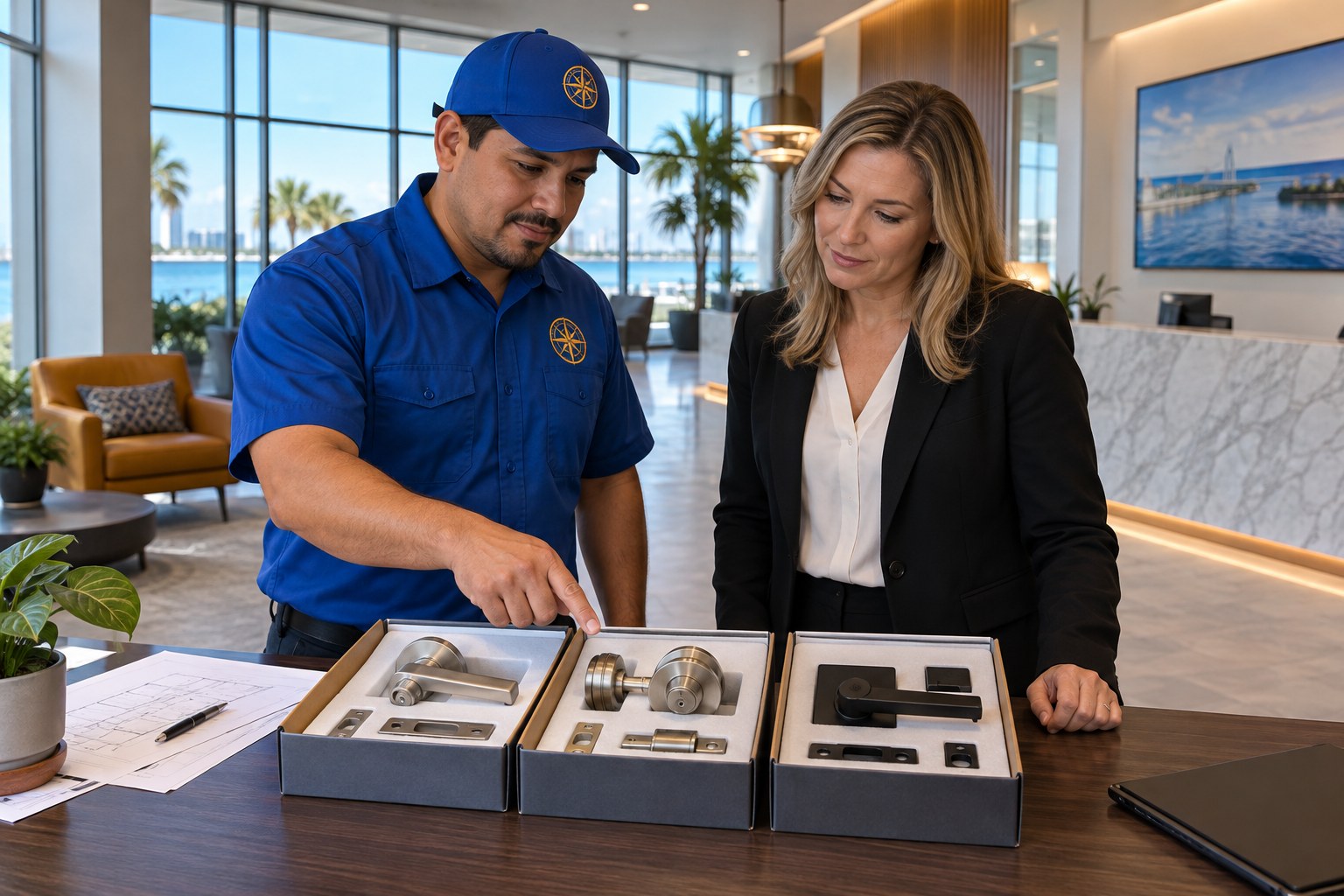
How a keypad lock works
A keypad lock has a set of buttons, a small circuit that stores one or more codes and a motor or solenoid that retracts the latch when the right code is entered. Many run on batteries, so no wiring is needed, while others connect to building power or a control panel.
When a person types a code and presses enter, the circuit compares the entry with its stored list. If it matches, the latch is released for a few seconds. If it does not, the lock stays secure and may sound a tone. Repeated wrong tries often lock the keypad for a short time.
Inside, a standard door mechanism does the physical work. Most keypad locks keep a keyhole as a backup, so a metal key can open the door if the electronics fail. Check whether your model has one, and keep that key somewhere safe.
The appeal is plain: no key to lose and no copy to wonder about. The tradeoff is that codes can be shared or watched, and electronics need care.
Types of keypad hardware
Standalone keypad locks replace the existing handle and deadbolt. They hold their own codes and are programmed at the door. They suit small offices with a few users and little need for logs.
Keypad readers connected to a controller and an electric strike or magnetic lock offer more features. They can handle many codes, schedules and logs, and they are managed from a central point. Our page on access control for small business covers this style.
Mechanical keypad locks use buttons and an internal mechanism instead of electronics. They need no batteries and work in harsh conditions, but the code is changed by hand and offers fewer features. They are common on storage rooms and utility doors.
Choose by how many users you have, how often codes change and how much you need to track. A simple door with few people may need only a basic model.
- Standalone electronic keypad locks
- Keypad readers with controller and strike
- Mechanical button locks without batteries
- Models with a metal key backup
Choosing good codes
A code is only as good as the people who keep it private. Avoid obvious choices such as repeated digits, sequences, birthdays or the street number. A sensible code is random, not tied to the building or anyone's personal details.
Longer codes are harder to guess. If the keypad allows six digits instead of four, use six. Some models also allow a sequence that includes extra random presses to hide the real code from onlookers, which is useful in public hallways.
Do not write codes on the wall or on a sticky note by the door. Keep a record in a secure place, such as a locked drawer or a password manager used by the owner. Share only on a need to know basis.
If your keypad supports different codes for different people, use them. Individual codes let you remove one person without changing everyone else. They also make logs meaningful.

Managing codes when people change
Code management is the part most offices neglect. When an employee leaves, their code should be removed the same day. If everyone shares one code, you have to change it for everybody, which is disruptive. Individual codes make this routine.
Create a simple procedure. A checklist for departures can include collecting keys, disabling codes and updating records. Assign someone to do it, so it does not slip through the cracks.
Change shared codes on a schedule, such as every few months, and whenever a trusted person leaves. Tell staff in advance, and give the new code in a secure way. Avoid sending codes in casual messages that others might see.
Temporary codes help with contractors and visitors. Some models support codes that expire. If yours does not, change the code afterward. Ownership or authority is checked when we program systems.
Batteries and power
Most standalone keypad locks use ordinary batteries. When they get low, the lock usually warns with a tone or light. Do not ignore the warning. A dead lock can leave staff outside or, on some designs, leave the door unsecured.
Replace batteries on a schedule, perhaps every year, instead of waiting for low warnings. Use good quality cells, and replace all at once. Mark the date inside the cabinet or in your records.
Keep spare batteries on site. Know how to change them without losing programmed codes. Most models keep codes in memory, but check your manual. Some have an external terminal for emergency power.
A metal key backup is a reliable fallback. Test it occasionally. If the key hole is hidden behind a cover, find it ahead of time.
Common problems
A keypad that stops responding is often a battery problem. Replace the batteries and try again. If the buttons feel sticky or unresponsive, dirt or moisture may be at fault. Wipe the keypad gently with a soft cloth.
A lock that beeps but does not release may have a mechanical issue. The latch may be binding against the strike, the door may have shifted or the motor may be weak. Check alignment and try lifting or pushing the door while entering the code.
A lock that forgets its codes may have a power glitch or a failing board. Reprogramming may help temporarily, but repeated loss suggests replacement. Record codes elsewhere so you can restore them.
A keypad that lights up but does nothing can be a sign of a broken connection inside the door. Wires that cross the hinge can fray. A technician can inspect and repair.
Security limits of keypads
Codes can be watched. Someone standing behind a user can see the buttons pressed. Wear marks on frequently used buttons can also hint at the digits. Cleaning the keypad and changing codes periodically reduces this.
Codes can be shared. A trusted employee may tell a friend, or a code may be repeated until it is no longer private. Individual codes and logs, where available, help you notice and respond.
Cheaper keypad locks may have weaker mechanisms and electronics. A strong lock body and a solid door matter as much as the code. Choose commercial grade hardware for offices that need dependable service.
Combine keypads with other measures. A deadbolt backup, a camera or an alarm adds depth. No single feature does everything.
Fit with doors and frames
Keypad locks need doors of the right thickness and the right preparation. A door with a standard bore and edge fits many models. Narrow storefront doors and unusual frames may need special products.
Check the handing of the door, meaning which side the hinges are on, and whether the lock must be reversible. Some models adapt automatically. Others must be ordered for a specific hand.
Alignment affects reliability. A latch must meet the strike cleanly. Adjusting hinges or the strike plate prevents binding that the lock may seem to cause.
A technician can survey your doors and recommend products that fit. Describe the doors when you call. Quotes are given by phone.
Fire safety and egress
Doors that serve as exits must allow easy exit from inside without a code. Most keypad locks do this by allowing the inside handle to retract the latch at any time. Confirm that your model works this way. A door that traps people inside is unsafe.
Fire rated doors need hardware that is approved for that use. Do not install an unapproved lock on a fire door. A technician checks labels and chooses compatible products. Local authorities have the final word on code.
Do not block or disable exit hardware to add a keypad. If an existing panic bar is present, combine a keypad on the outside trim instead of replacing the bar. Our page on panic bars explains.
If you are unsure about the rules for a particular door, ask the building official before work. We follow safe practice and avoid changes that compromise egress.
Weather and coastal care
Exterior keypads face rain, sun and salt air. Choose models rated for outdoor use, with sealed buttons and corrosion resistant finishes. A lock meant for an interior office will fail quickly outside.
Protect the keypad when possible. A small overhang reduces water exposure. Wipe salt residue from the surface regularly, using a damp cloth, then dry. Avoid harsh cleaners that damage finishes.
Humidity can find its way into battery compartments. Check the seals when you change batteries. Corroded contacts cause erratic behavior. Clean light corrosion carefully or replace the part.
After a storm, test each keypad. Moisture can cause temporary or permanent faults. Call for help if the lock does not respond.
Programming and resetting
Each model has its own programming steps. Usually a master code or a button inside the case lets you add, change or delete codes. Keep the manual and a record of the master code in a secure place.
If you lose the master code, many locks can be reset to factory defaults. This clears all codes, so you must reprogram. A technician can do this and set up a clean system.
Avoid leaving the default master code in place. Defaults are widely known. Change it at installation and note it securely.
When programming for a business, ownership or authority is checked. This keeps the work responsible and protects the building.
Offices in shared buildings
Many offices share a hallway or entrance with other tenants. A keypad on your suite door controls only your space. Make sure your lock does not conflict with building rules about door hardware. Ask the property manager before changing it.
Property managers may need emergency access. Agree on how they will enter. Some leases require a key or code on file. Respect these arrangements, and keep a record.
If the building uses a master key system, adding a keypad may break the plan. Discuss with the manager and the locksmith. A keypad with a key override can sometimes keep the master key function.
When you move out, reset the lock and remove your codes. Return any keys. Leave the door in good order.
Hurricane season and outages
Battery powered keypad locks keep working during power outages, which is an advantage. Keep spare batteries and test the backup key before storm season.
Locks connected to building power may fail or revert to a default state. Know what yours does. Keep a mechanical key for important doors.
After floods or heavy rain, inspect locks for water. Do not force a lock that sticks. Dry it, replace batteries if needed and test again.
If an office is evacuated, take a record of codes and keys with you. After the storm, you may need to reset codes. Quotes are given by phone, and complicated jobs are explained before dispatch.
When to choose something else
If you have many employees, high turnover or need logs, a card system may be better. Cards can be disabled individually, and the system records entries. Our access control pages describe this.
If you need to control who copies keys, a restricted key system might suit you. If you need very high resistance to attack, consider high security cylinders. Keypads are not the answer to every problem.
Some offices combine them: a keypad for convenience at the front and restricted keys on sensitive doors. A mixed approach can fit real needs.
Describe your office when you call, and we will talk through options. No pressure, just clear information.
A walk through setting up a small office
Consider an office with a front door open to the public during the day, a back staff door and a supply room. The owner wants the staff door and the supply room on keypads, with the front door on a regular lock that staff unlock in the morning. This keeps the setup simple and focused on where it matters.
The first step is to confirm each door's thickness, handing and the lock bore. The locksmith then selects commercial grade keypad locks that fit. Installation involves removing the old hardware, fitting the new lock body, checking the latch against the strike and testing the handle from both sides.
Next comes programming. The master code is changed from the default and recorded securely. Individual codes are set for each employee, and a separate code is created for the cleaning crew. The owner writes down who has which code in a protected record and tests each code at each door.
Finally, the team is briefed. Staff learn how to enter codes, what to do if the lock beeps without opening and who to call. A spare metal key is stored in a locked box. The whole setup is simple, and the owner no longer worries about copied keys.
Cleaning, wear and the signs of heavy use
A busy keypad shows its history. The buttons used most often wear shiny and the printed numbers fade. This gives an observer a hint about the digits in the code. Cleaning the keypad and, on some models, replacing the button cover or the whole unit when numbers fade keeps this clue from helping anyone.
Wipe the surface with a slightly damp soft cloth, then dry it. Avoid sprays that can seep behind the buttons. Do not use abrasive pads that scratch the markings. In dusty or sandy locations, brush the keypad lightly before wiping so grit does not scratch.
Pay attention to how the buttons feel. A button that sticks or needs hard pressure may have dirt beneath it. A keypad that registers double presses may be wearing out. These are early signs that replacement is coming, and acting early avoids a morning lockout.
Keep a note of the installation date. Most commercial keypad locks last for years of regular use, but busy front doors may wear faster than back doors. Call us to confirm availability when a unit starts misbehaving.
Setting up an office keypad job with our team
A keypad is only as good as the habits around it. A one page code policy can prevent most trouble. It should say who is allowed to hold a code, how new codes are requested, who has authority to change them and what happens when an employee leaves. Keep it plain: a few sentences and a short list. The goal is that anyone in the office can answer the question of who decides about codes without guessing, and that the answer does not depend on one person's memory.
Decide how often codes change and what triggers a change. Common triggers include a departure, a lost phone that contained the code, a contractor finishing a project or a suspected misuse. A scheduled change on a regular rhythm, such as at the start of each quarter, keeps habits fresh and removes old sharing that nobody remembers. Avoid codes that are birthdays, repeated digits or simple sequences, and avoid writing the code on a sticky note beside the door, where it defeats the purpose.
Include practical details: where the programming instructions are stored, which battery type the lock uses, who replaces batteries and how often it is tested. If the door also has a mechanical key override, note where the key is kept and who holds it. For shared buildings, mention whom to contact about common doors. A technician can help set up codes, test the lock and leave a simple written record. Call us to confirm availability, and we will explain how the visit works and the service call charge before dispatch.
Starting a keypad conversation with a technician
Tell us about the door, the current lock and what you want. We explain what is typical and what a visit involves.
We check ownership or authority before installing or programming a lock. For leased spaces, landlord approval may be needed.
Quotes are given by phone. If a job is complicated, a technician visits and the service call charge is explained before dispatch.
We do not promise round the clock availability here. Call us to confirm availability.
Quick answers
What happens when keypad lock batteries die?
Many locks warn you first with a tone or light. A metal key backup lets you open the door. Replace batteries on a schedule and keep spares on site.
How often should I change the door code?
Change shared codes every few months and whenever someone with the code leaves. Individual codes make removal simpler. Avoid obvious numbers.
Can a keypad lock be used on an exit door?
Yes, if the inside handle always lets people out without a code. Fire rated doors need approved hardware. Ask a technician if you are unsure.
Will the code be lost if the power goes out?
Most battery locks keep codes in memory. Keep a record elsewhere in case. A technician can reset and reprogram if needed.
Do you check authority before programming a lock?
Yes. Ownership or authority is checked before installing or programming. Quotes are given by phone. Call us to confirm availability.